
The Hidden Cost of Inbox Overload
Your inbox may be full of emails, but the real cost of inbox overload is often hidden.
It is the time spent manually sorting through messages.
The mental energy required to decide what deserves your attention.
The hours spent drafting responses to routine questions.
And the risk of important conversations being buried beneath everything else.
For professionals, email overload can quietly turn into a daily productivity problem.
Instead of beginning the day with focused work, you begin by reacting to an endless stream of incoming communication.
Why Generic AI Tools Often Fall Short
AI can generate an email in seconds.
But speed alone isn't enough.
A generic AI tool may produce a response that is grammatically correct but completely wrong for the situation.
It may sound too formal. Too vague. Too enthusiastic. Or simply unlike the way you normally communicate.
Professional email requires nuance.
The relationship with the recipient matters. The history of the conversation matters. Your preferred tone and communication style matter.
An AI email assistant should help you communicate more efficiently—not make every message sound generic.
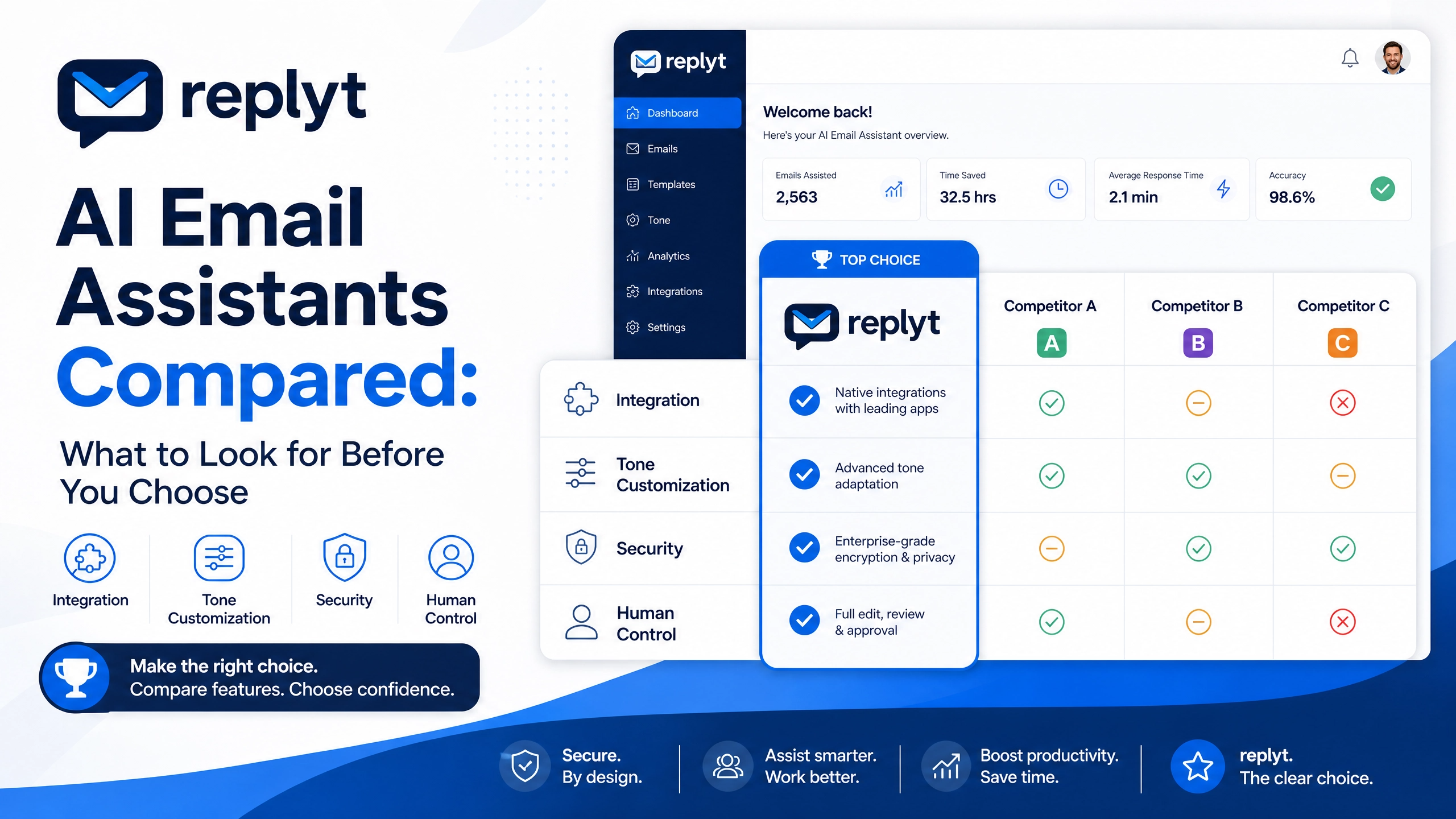
Key Criteria for Choosing an AI Email Assistant
Not all AI email tools are designed for the same purpose.
When choosing an AI assistant for your inbox, several factors matter.
Integration with Gmail and Outlook
Your AI assistant should work with the tools you already use.
Whether your workflow is built around Gmail or Outlook, a seamless integration makes it easier to incorporate AI into your existing routine without constantly switching between different platforms.
The best workflow is the one that fits naturally into how you already work.
Customization of Tone and Writing Style
Your emails should still sound like you.
Look for tools that allow you to customize your preferred tone, writing style, and communication preferences.
Whether you prefer concise and direct messages or a warmer, more conversational style, AI-generated drafts should be easy to adapt to your voice.
Security and Data Privacy
Your inbox contains sensitive information.
Client conversations, business decisions, personal information, and confidential documents may all pass through your email.
Any AI email assistant should take security and privacy seriously.
Secure authentication, appropriate access controls, responsible data handling, and transparent privacy practices are essential considerations when choosing a tool.
An Approve-First Workflow
Automation should not mean giving up control.
An approve-first workflow allows AI to prepare the work while you make the final decision.
You can review a draft, edit it, approve it, or choose not to send it.
This provides the efficiency of AI without allowing an automated system to communicate on your behalf without your oversight.
Why replyt Is Built for Professionals
replyt is designed around a simple idea:
AI should help you get through your inbox faster while keeping you in control.
Instead of spending your morning manually opening, sorting, and responding to every message, replyt helps create a more structured workflow.
Your morning can begin with a clearer overview of:
Important conversations
Tasks requiring your attention
Follow-ups that need action
Routine emails
AI-generated draft responses
Rather than starting each email from a blank screen, you can review prepared drafts and quickly decide what happens next.
Approve it.
Edit it.
Ignore it.
You remain in control.
This approach transforms email management from a constant stream of interruptions into a focused morning review.
Transform Your Inbox Workflow Today
The goal of a better email workflow isn't simply to reach Inbox Zero.
It is to reclaim your time and attention.
With the right AI assistant, you can reduce repetitive drafting, identify important conversations faster, and start your workday with a clearer understanding of what matters.
replyt combines AI-powered inbox assistance with human oversight, helping you manage email more efficiently without sacrificing your communication style or control.
Start using replyt today and transform your inbox from a daily distraction into a more productive part of your workflow.